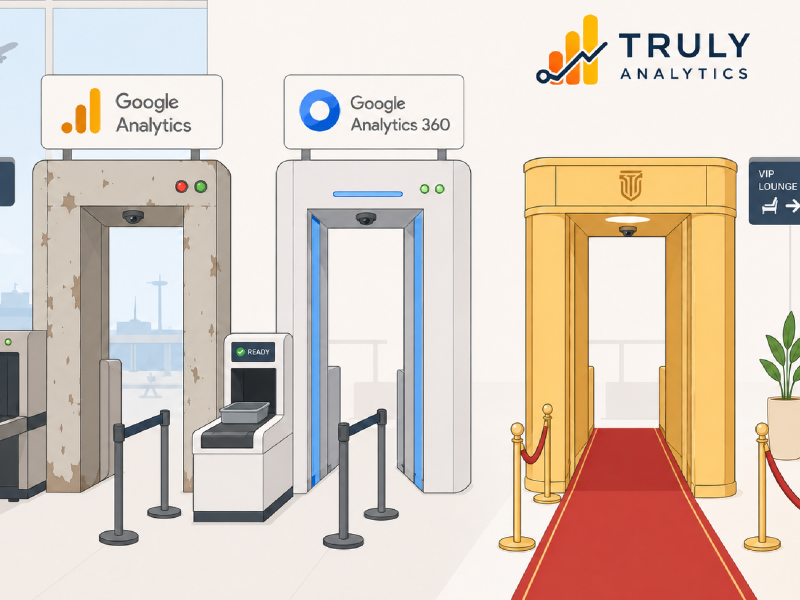
Google Analytics 360 is the next step up when a business outgrows the limits of standard Google Analytics, the underlying assumption being that a paid version of the free product will materially improve analytics features, quality and generally provide a higher ROI. In practice, the value offer is much narrower. Most of the value in Google Analytics 360 sits in scale, throughput, service terms and broader Google ecosystem support rather than in a fundamentally different or enhanced analytics model.
This article considers Google Analytics 360, what the benefits are against regular Google Analytics and the overall upgrade paths for businesses that need better analytics, not necessarily more data. We’ll also consider Truly Analytics as a comparable upgrade path providing better analytics functionality and features to show what is available on the market outside of the normal Google Analytics upgrade path to GA360 without the immediate and substantial GA360 costs load up front.
What Google Analytics 360 adds 
Google Analytics 360 is generally positioned as the premium version of Google Analytics for higher-volume organisations. Pricing is not openly declared but rumours and discussions place the expected range to start at around $50,000+ per year.
Unlike the pricing Google does provide a list of benefits for GA360 above and beyond the regular Google Analytics services including:
| Benefit | Google Analytics (standard) | Google Analytics 360 | Benefit |
|---|---|---|---|
| Data freshness | Intraday processing can take several hours | Continuous intraday processing, with data usually available within one hour | Teams can monitor performance and respond to changes sooner, however still not realtime. |
| Exploration sampling | Queries involving more than 10 million events may be sampled | Supports detailed queries using up to 1 billion events, plus requests for unsampled results | More dependable analysis across large datasets and longer date ranges. |
| Unsampled explorations | Not available in the GA4 interface | Available, subject to daily and per-query quotas | Analysts can utilise potentially more accurate data exploration without exporting everything to another system. |
| Event-data retention | Up to 14 months | Up to 50 months | Enables longer-term cohort, funnel and customer-lifecycle analysis inside Explorations. |
| Audiences | Up to 100 per property | Up to 400 per property | Supports more brands, markets, customer segments and advertising use cases. |
| Custom dimensions and metrics | Lower configuration limits | Higher limits for event-, user- and item-scoped dimensions and custom metrics | Accommodates more complex measurement frameworks without exhausting available definitions. |
| Key events | Up to 30 per property | Up to 50 per property | Allows large organisations to track more distinct business outcomes within one property. |
| BigQuery daily export | Limited to 1 million events per day | Much higher export limits | Suitable for high-volume sites and apps that need complete raw-event data in a warehouse. |
| Subproperties | Not available | Available | A source property can be divided by region, brand, business unit or another rule, with separate access controls. |
| Roll-up properties | Not available | Available | Data from multiple properties can be combined into an organisation-wide reporting property. |
| Data governance | Primarily account- and property-level permissions | Adds subproperty-based data separation and user-specific report collection assignments | Provides tighter control over which teams can access particular data and reports. |
| Expanded datasets | Not available | Automatic and configurable expanded datasets | Reduces the likelihood of high-cardinality dimensions being grouped into the (other) row. |
| Platform capacity | Standard collection, reporting and API quotas | Substantially higher collection, reporting and API quotas | Better suited to organisations with heavy traffic, many analysts or automated reporting workloads. |
| Service guarantees | No enterprise SLA | Service-level agreements covering areas such as collection, reporting, attribution and BigQuery daily export | Provides contractual assurance for business-critical analytics operations. |
| Support | Self-service documentation and community support | Enterprise-level support, generally delivered through Google or an authorised reseller | Gives large organisations an escalation route for important technical and operational problems. |
| Best suited to | No one specific market | Gigantic corporates which have a large analytics configuration or require specific features like extended data retention, etc | If you’re hitting the standard GA limits and your analytics are already efficient, then the next step has to be GA360 |
These benefits matter in the right context. If an organisation has genuinely high traffic volumes, large reporting needs or operational dependence on Google’s enterprise stack, GA360 might be the only possible upgrade. It’s purely a way to put more data into GA when you hit the GA standard installation limits. Outside of that, you’re not getting any thing new or dynamic in the analytics space. It’s purely a straight upgrade to handle more data or to provide corporate only features such as:
- Extended data retention
- SLA commitments (useful or blanket requirement for insurance or governance policies)
- Sub-property and Parent-property structures for group management + hierarchy
- Increased reporting, but not realtime reporting
What Google Analytics 360 doesn’t provide 
Google Analytics 360 is more of the same product with a few corporate targeted features. Outside of this the core Google Analytics product is basically the same:
- Blocked analytics scripts & missing data
- Consent issues due to Google Analytics’ advertising connections
- No realtime functionality
- No external connectivity
- Poor support for third party attribution outside of the Google Ads platform
GA360 gives you more room to process analytics but does not, by itself, improve the underlying Google Analytics product. If you’re not satisfied with Google Analytics then GA360 is unlikely to fix your underlying issue(s).
What Truly Analytics is built to do 
Truly Analytics is designed to improve what flows into Google Analytics rather than replace it. It acts as an intermediary between users and Google Analytics, with a privacy-preserving model that keeps non-consenting anonymous users from being directly exposed to Google’s infrastructure. This matters for organisations that still rely on Google Analytics as their reporting layer, but know that standard implementation leaves significant gaps.
Google Analytics cannot provide what Truly Analytics does:
- Recover analytics visibility whilst protecting users from Google’s Ads platform
- Send compliant measurement into Google Analytics with consent management across various jurisdictions
- Preserve anonymity for non-consenting users
- Improve page view, event and engagement reporting with bot, data center and organisation classifications
- Provide realtime updates to external systems
For many organisations, that is a far more impactful improvement to analytics capability than simply buying higher Google Analytics limits. Now you can have a variety of improved functionality and business benefit that allows you to do the following:
Network Intelligence - bot, data center & organisation identification 
Truly Analytics enriches traffic so that events and page views are categorised by network type and publicly attributable origin, including:
- Mobile networks
- Residential connections
- VPNs
- Proxy traffic
- Origin organisation where publicly attributable
- Cloud and data centre traffic
- AI lab and automated service traffic
This allows teams to understand more about the audience actually reaching the site. For publishers, that can support stronger audience evidence used for direct sales conversations and audience categorisation. For B2B teams, it can show whether target organisations are engaging with documentation, resources or product pages. For technical businesses, it can reveal whether a large share of the real audience sits behind privacy tools or restricted networks.
More events won’t identify your audience and quantify whether they consist of banks, government networks, enterprise users, VPN traffic, mobile carrier traffic or AI labs.
Event Hooks - immediate feeds to action 
Truly Analytics can be configured so that specific event data is copied to Google Analytics and other systems at the same time. This makes analytics events operational triggers rather than sitting only in reports.
This allows for use cases such as:
- CRM updates when known accounts revisit important pages
- Alerts when a prospect downloads a resource
- Notifications when target organisations engage with documentation
- Workflow triggers when users reach pricing, cancellation or high-intent pages
- Real-time business signals sent to internal systems
Google Analytics is fundamentally a reporting platform. Truly Analytics extends analytics into business operations. If a business is large enough to consider spending tens of thousands on analytics, it should have the functionality to have those analytics update CRM records, support sales follow-up or trigger internal automation. Event Hooks make that possible. Google Analytics 360 offers more reporting.
First Party Attribution - a more inspectable record 
Truly Analytics also provides First Party Attribution, which addresses a problem common in multi-channel marketing environments.
Google’s attribution model is closely tied to its own ecosystem. That creates limitations when businesses rely on channels that sit outside Google’s ad network logic, including:
- Influencer traffic
- Social campaigns
- Affiliate activity
- Referral campaigns
- Real world campaigns
- Email promotions
- Other non-Google campaign sources
Truly Analytics records the campaign data actually received from incoming traffic and connects it to the session activity that follows. It captures values such as:
- campaign name
- campaign ID
- source
- medium
That campaign context is sent into Google Analytics as a dedicated first-party record and using Event Hooks sent to other systems in realtime.
Rather than relying only on platform-level attribution logic, Truly Analytics adds an inspectable record of what was actually observed when the user arrived. For businesses dealing with overlapping attribution claims, this offers a more grounded view of acquisition and conversion context.
Cost - where the trade-off becomes more obvious 
Google Analytics 360 starts at around $50,000+ annually, a far less affordable option than Truly Analytics.
Truly Analytics does not simply undercut on price, it also adds capabilities that GA360 cannot provide.:
- Analytics recovery from blocked or invisible traffic
- Privacy-preserving intermediary collection
- Network Intelligence
- Event Hooks
- First Party Attribution
- Managed analytics cleanup and implementation support
A business paying enterprise-level analytics costs should be clear about what problem it is trying to solve. If the issue is genuine enterprise event volume, GA360 is the only option. If the issue is missing visibility, weak attribution, poor event routing or lack of insight into who is actually engaging, Truly Analytics is worth trialing first to see if that’s useful.
Recommendation 
If you are considering Google Analytics 360 primarily because your analytics are not giving you enough useful insight, it is worth pausing before upgrading. GA360 isn’t going to help with better analytics, it’s just more of the same.
For less of an upfront investment Truly Analytics is the more practical upgrade option because it addresses those underlying problems directly while still allowing you to keep Google Analytics in place.
If you are prepared to spend at GA360 levels, the more sensible move is not to buy more Google Analytics unless you must. You’re almost always better off improving the analytics programme itself.
Next step 
If you want to see whether your site is missing valuable traffic or whether a cleaner analytics setup would remove the need for an expensive platform upgrade, start with a free 3-day Truly Analytics trial:
Start your free trial
No obligation, free 3-day trial that runs alongside your current Google Analytics setup