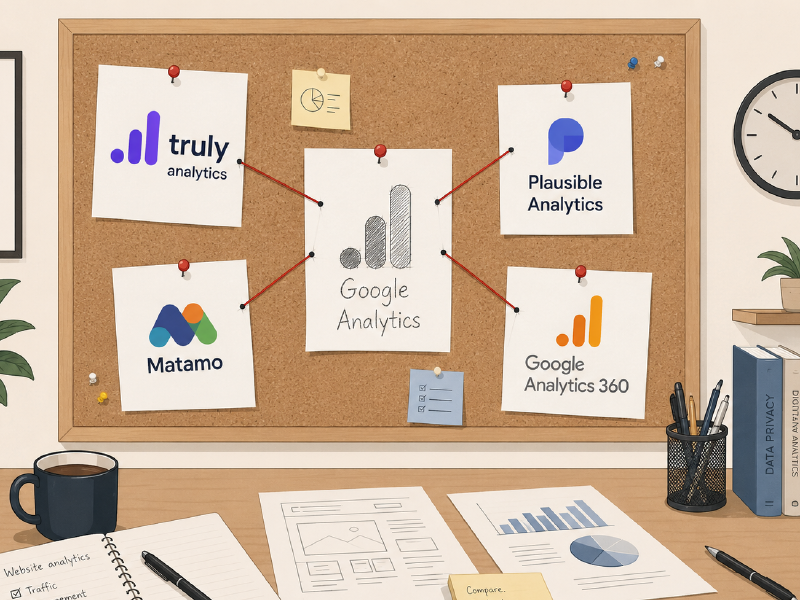
When should you use Google Analytics 360? 
Google Analytics is the enterprise version of Google Analytics. However, it’s the enterprise version via scale, not necessarily an improved product - it simply operates at a larger scale.
Google Analytics 360 is worth considering when standard GA4 is no longer enough for your organisation. That usually means you are hitting hard limits: reporting limits, BigQuery export limits, custom dimension limits, audience limits, data retention limits, sampling limits or governance limits.
It is not worth upgrading simply because you want “better analytics.” Google Analytics 360 is an enterprise scaling product. It gives large organisations more room, more controls, more integrations and stronger service commitments. There’s no difference between Google Analytics 360 and regular Google Analytics for data quality, analytics recovery, Event Hooks, data enrichment or other features needed for serious analytics products.
What is Google Analytics 360? 
Google Analytics 360 is the paid enterprise version of Google Analytics. Google describes it as a product for large enterprises that need advanced customisation, scalable tools and enterprise-level support.
The basic pitch is simple. Standard GA4 is free and good enough for many organisations. GA360 is for businesses that need higher limits, stronger data governance, faster reporting, more BigQuery capacity, more unsampled analysis and tighter integration with the wider Google Marketing Platform.
Google’s own support documentation says GA360 provides higher limits for GA4 property data collection, reporting, retention and BigQuery export. That is the core of the product. It is not a different analytics philosophy. It is Google Analytics with enterprise capacity.
The practical GA360 benefits 
The most practical reason to use GA360 is higher limits.
| Limit / feature | Standard GA4 | Google Analytics 360 |
|---|---|---|
| Event parameters per event | 25 | 100 |
| Audiences | 100 | 400 |
| Event-scoped custom dimensions per property | 50 | 125 |
| Event-scoped custom metrics per property | 50 | 125 |
GA360 also increases the exploration sampling limit from 10 million events per query to 1 billion events per query. It adds unsampled exploration capacity, increases API quotas from 200,000 tokens per day to 2 million and extends data retention from up to 14 months to up to 50 months for eligible properties.
BigQuery is another major reason to upgrade. Standard GA4 daily BigQuery export is limited to 1 million events per day, while GA360 daily export supports billions of events. Google’s BigQuery export documentation also describes standard properties as supporting up to 1 million daily exported events, while 360 properties can support up to 20 billion events per day.
GA360 also improves data freshness. Google says Analytics 360 can provide continuous intraday data, with data usually appearing within about an hour after collection.
For large organisations, these are meaningful upgrades. If your reports are sampled, your BigQuery export is capped, your teams need more audiences, your analysts need longer retention or your organisation needs roll-up and subproperty structures, GA360 starts to make sense.
Negatives of Google Analytics 360 
It does not fix blocked traffic 
This is the main limitation. GA360 gives you a larger Google Analytics property. It does not automatically recover traffic that never reached Google Analytics in the first place.
If your audience blocks Google, uses privacy tools, runs ad blockers, avoids Google scripts or works in environments where Google tracking is restricted, GA360 does not make that audience visible by default. You may get more processing power, but the input data is still incomplete. In our hidden traffic case study, a cybersecurity firm recovered an 11.7x traffic increase after standard analytics missed 91.4% of its audience.
That is why GA360 is rarely the first fix. If standard GA4 is missing a material percentage of your users, you should fix collection before paying for enterprise reporting.
It can make incomplete data look more authoritative 
This is a subtle but serious problem. GA360 can make your analytics stack look more mature, but that does not mean the numbers are complete. A polished enterprise dashboard built on partial data is still partial data.
For leadership teams, investors, acquirers and marketing teams, this can create false confidence. The problem is not that GA360 reports are useless. The problem is that they can appear more trustworthy than the underlying collection deserves.
You’re paying for a more performant system from Google, not better data or processes.
It is procurement-heavy 
Google’s Analytics 360 page does not present simple self-serve pricing. It pushes prospects to “Talk to Sales.” That means procurement, vendor conversations, contract terms and internal approvals.
For many teams, that is too much overhead unless the pain is already obvious. Additionally, it brings you into the world of Google Enterprise which is known for deleting client data, short notice price increases and some of the worst customer service in the tech space. You’ll pay a lot for not much.
It is overkill for most websites 
Most websites do not need 400 audiences, 125 event-scoped custom dimensions, billions of BigQuery exports or 1 billion-event exploration queries. Those limits are valuable when you are genuinely operating at scale. They are wasteful when you are not.
However, even then the core questions for your business usually are not answered from the increased data collected. You’ll get more business value from recovered traffic, targeted data collection and strategic analytics collection than just increasing the amount of event parameters you need.
It keeps you inside Google’s analytics worldview 
GA360 is still Google Analytics. It remains deeply connected to Google’s advertising and measurement ecosystem. That is useful if your organisation is committed to Google Marketing Platform, but less ideal if your goal is to reduce dependence on Google.
It can distract from the real problem 
If your issue is “we do not trust our GA4 data,” GA360 is not be the answer, it’s more of the same.
If you don’t trust your Analytics then the solution is to fix that trust.
If the problem is sampling, retention, BigQuery export or enterprise governance, GA360 may help. If the problem is missing traffic, blocked scripts or anti-Google users, GA360 is not the core fix.
When should you upgrade to Google Analytics 360? 
You’ll know when to consider GA360 as you’ll be getting clear warnings from GA4 and your analytics workflow would be obviously constrained by standard GA4 limits.
Good reasons include:
- Your BigQuery daily export volume is too high for standard GA4.
- Your explorations are being sampled too often.
- You need longer data retention than standard GA4 allows.
- You need more audiences, custom dimensions, custom metrics or event parameters.
- You need subproperties or roll-up properties for a complex organisation.
- You need enterprise support, SLAs or formal governance.
- Your marketing stack is already built around Google Marketing Platform.
- Your analysts are blocked by GA4 limits often enough that the cost is justified.
Bad reasons include:
- You vaguely want “better analytics.”
- Your traffic numbers seem too low.
- You think GA360 will automatically recover blocked users.
- You want to impress stakeholders with an enterprise tool.
- You have not audited whether GA4 is collecting your audience properly.
- You are not close to hitting standard GA4 limits.
Why Truly Analytics should usually come before GA360 
The first job of analytics is collection - reporting comes after that. If your collection is incomplete, better reporting does not solve the problem. It simply reports incomplete data with more expensive tools.
That is why Truly Analytics was built. If your GA4 property is missing users because Google tracking is being blocked, the priority is to recover those missing analytics before deciding whether you need GA360.
That matters even more for enterprise teams. If a standard GA4 property is missing a large amount of traffic, an enterprise GA360 property has to be missing an even more valuable amount. Larger properties make bad collection more expensive, not less important.
That is the cleaner upgrade path:
- Keep GA4.
- Recover missing traffic with Truly Analytics.
- Review whether standard GA4 limits are still a problem.
- Upgrade to GA360 only if you are genuinely hitting enterprise limits.
Is Google Analytics 360 worth it? 
Google Analytics 360 is worth it when scale is the problem. Google Analytics 360 is what you buy when you’re hitting the machinery limits of Google Analytics. Some organisations definitely need GA360 as they’re too large to not hit the limits of standard Google Analytics.
However, if you’re looking to solve a problem which is not the hard technical limits of a standard Google Analytics installation, then GA360 won’t help. It’s a pure technical upgrade to Google Analytics, nothing more.
Do not upgrade to GA360 until standard GA4 is clearly limiting you. And do not seriously evaluate GA360 until you have fixed the missing traffic problem with Truly Analytics.
GA360 can be valuable. But it is not the first move. First, make sure Google Analytics is seeing the audience it is supposed to measure.